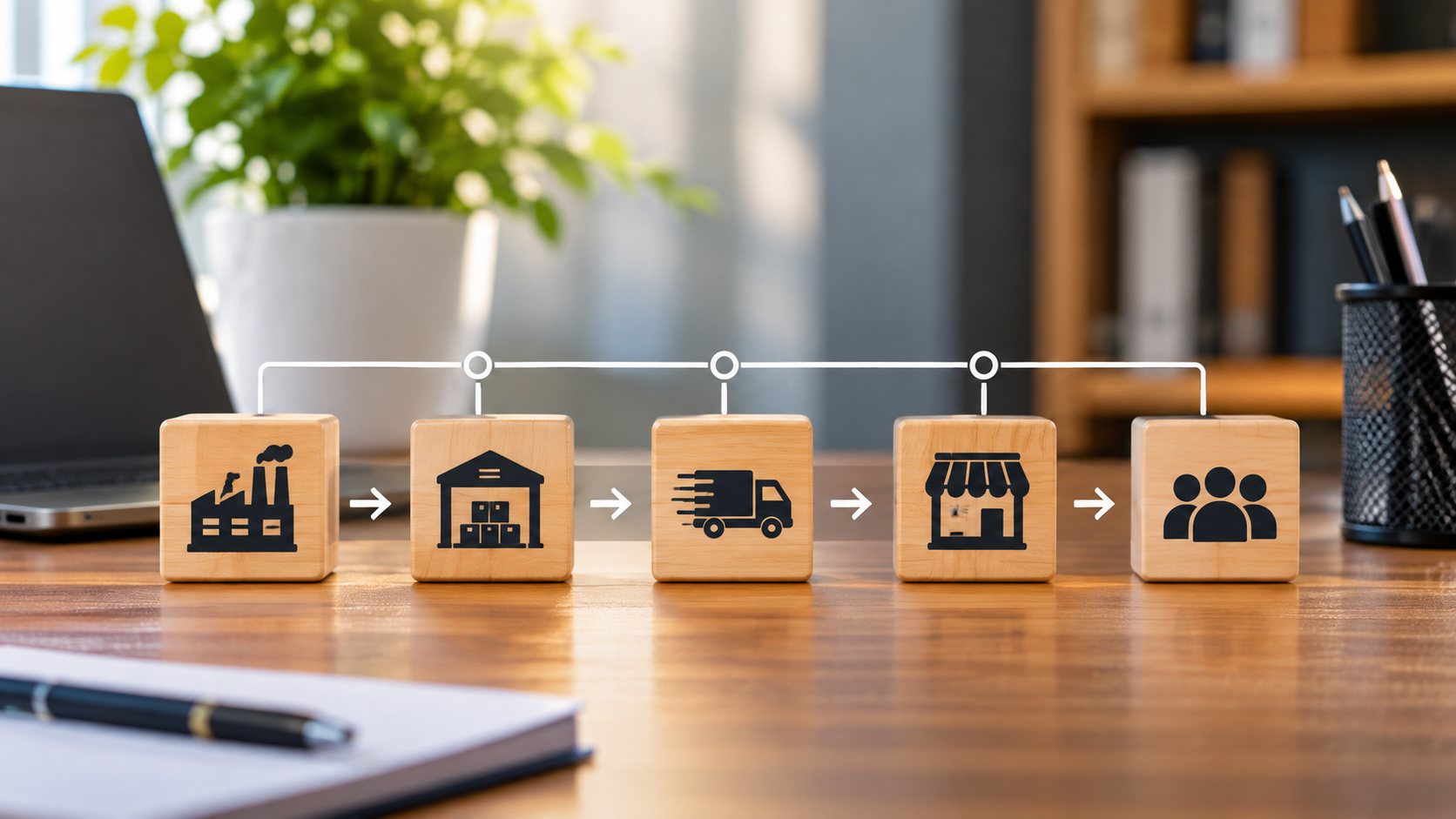
Technology has become an important part of running a successful business. From computers and internet connections to business software, cloud services and security systems, companies rely on different technology products to keep their daily operations running.
However, buying these products is only one part of the process. Businesses must also find reliable suppliers, agree on prices, track deliveries, maintain equipment and make sure their technology remains safe and useful.
This is where IT supply chain management comes in.
A company may spend a lot of money on computers, software and other digital tools. However, poor supplier choices, late deliveries, unexpected repair costs and security problems can affect the value of that investment. Without proper planning, even simple technology purchases can become costly.
For small businesses, these challenges may seem easy to manage. A company might buy laptops from a local supplier, pay for accounting software and hire an IT support specialist. Nevertheless, each decision creates a business relationship that needs proper attention.
Larger companies face even more challenges because they often work with several technology suppliers, manufacturers, software developers and service providers.
Understanding IT supply chain management can help businesses make better purchasing decisions, reduce costs, improve daily operations and protect their technology investments.
This guide explains what IT supply chain management means, how it works, its major components, the benefits it offers and the practical steps businesses can take to manage their technology resources more effectively.
What Is IT Supply Chain Management?
IT supply chain management involves planning, purchasing, coordinating and monitoring the technology products and services a business needs to operate efficiently.
The process covers the movement of technology resources from manufacturers and service providers to the companies that use them. Beyond the initial purchase, it also involves installation, maintenance, software updates, repairs and the replacement of outdated equipment.
These resources include:
- Computer hardware such as laptops, desktops, servers and networking equipment.
- Software applications, operating systems and business management tools.
- Cloud computing services and online storage.
- Internet and telecommunications services.
- Cybersecurity products and support services.
- IT repairs, maintenance and technical support.
- Data centre equipment and other digital infrastructure.
For example, imagine a small financial consulting company that wants to employ more workers.
The business needs additional computers, accounting software, reliable internet access, cloud storage and security tools.
To get these resources, management must find suitable suppliers, compare prices, check product quality and agree on delivery arrangements. It must also make sure that the different systems work together.
Managing all these activities is part of IT supply chain management.
The main goal is not simply to buy technology at the lowest price. Instead, businesses must ensure that they get the right products and services when needed, at a fair cost and with the quality required to support their operations.
How IT Supply Chain Management Works
The IT supply chain involves several connected activities. Although the process may differ from one company to another, most businesses follow a number of common steps.
Understanding these stages helps management identify delays, control spending and prevent problems before they affect daily operations.
1. IT Needs Assessment and Planning
Every good technology purchase should begin with a clear understanding of what the business needs.
Before buying computers, software or other IT products, management should identify the problems the new technology is expected to solve.
For instance, an online retail business may need better inventory software, additional computers for its customer service team and more storage space.
During the planning stage, the business should:
- Identify gaps in its existing technology.
- Understand the needs of different departments.
- Review its current IT equipment and systems.
- Estimate the number of products and services required.
- Prepare a technology purchasing budget.
- Set priorities based on business needs.
With proper planning, companies can avoid buying equipment they do not need. They can also prevent situations where purchased products fail to meet their requirements.
2. IT Procurement and Supplier Selection
After identifying its needs, the business must find the right suppliers.
IT procurement involves finding, comparing and purchasing the technology products and services required by an organisation.
Companies can buy directly from manufacturers, authorised distributors, software developers and other service providers.
However, choosing a supplier should involve more than comparing prices.
Here are some important factors to consider:
- Product quality and reliability.
- Supplier reputation and experience.
- Delivery capacity and timelines.
- Warranty and after-sales support.
- Security standards.
- Prices and payment terms.
- Availability of replacement parts.
- Long-term maintenance support.
For example, buying ten laptops from an unfamiliar seller because the price is low may create problems if the products are fake or the supplier cannot provide warranty support.
On the other hand, a trusted supplier may charge slightly more but offer better products, reliable delivery and technical assistance.
Therefore, businesses should consider the overall value of a purchase rather than focusing only on its price.
3. Ordering and Delivery Management
Once a suitable supplier has been selected, the next step is placing the order and arranging delivery.
At this stage, businesses must track purchases, confirm quantities and make sure that products arrive safely and on time.
This becomes especially important when companies buy technology from international manufacturers.
For example, customs procedures, shipping charges, exchange rate changes and transportation delays can affect the final cost of imported equipment.
As a result, businesses should keep proper purchase records and check every delivery against the original order.
4. IT Installation and Deployment
Receiving new technology does not mean the supply chain process is complete.
The equipment must first be installed, the software configured and the systems connected to the company’s existing network.
For example, newly purchased computers may need operating systems, security settings, business applications and employee accounts before they are ready for use.
This stage may also involve:
- Setting up internet and network connections.
- Moving information from old systems.
- Installing software and activating licences.
- Testing security settings.
- Training employees.
- Connecting new systems to existing applications.
Proper installation helps prevent technical problems. It also ensures that employees can use the new equipment effectively.
5. IT Maintenance and Supplier Monitoring
Technology needs regular attention even after installation.
Computers may require repairs, software needs updates and network equipment must be checked to keep everything working properly.
Meanwhile, businesses should monitor the quality of service they receive from their suppliers.
Some important areas to review include:
- How quickly suppliers respond to maintenance requests.
- Whether software updates are available.
- How warranty claims are handled.
- The quality of technical support.
- How often services experience interruptions.
- Whether suppliers meet their contract obligations.
Regular checks help businesses identify problems early. Consequently, they can resolve issues before a major equipment failure affects their operations.
6. IT Asset Replacement and Disposal
Technology products do not last forever. Over time, computers become outdated, software may stop receiving support and equipment can become too expensive to repair.
For this reason, businesses need a plan for replacing old technology and disposing of it safely.
This involves checking equipment that is nearing the end of its useful life, setting aside money for replacements and deciding how old devices should be handled.
More importantly, businesses must protect their information before disposing of computers, storage devices and servers.
Sensitive company records should be properly erased or destroyed to prevent unauthorised access.
Without these precautions, old equipment can become a source of data leaks and other security problems.
Key Components of IT Supply Chain Management
A good IT supply chain depends on several activities working together. Each one helps ensure that the technology a business needs is available, secure and working properly.
1. IT Procurement Management
IT procurement management involves acquiring the technology products and services a company needs to operate efficiently.
The process includes setting budgets, identifying suitable suppliers, comparing quotations, placing orders and negotiating purchase agreements.
With a clear procurement process, businesses can avoid unnecessary purchases, control expenses and negotiate better deals.
2. IT Supplier Management
Supplier management involves choosing and maintaining good relationships with technology vendors and service providers.
For example, a company may depend on different suppliers for internet access, cloud storage, software subscriptions, computers and technical support.
By keeping track of these relationships, management can check supplier performance, resolve complaints and ensure that services remain reliable.
3. IT Inventory and Asset Management
IT inventory management involves keeping proper records of all the technology products a business owns or uses.
These records may include:
- Equipment names and serial numbers.
- Purchase dates and prices.
- Employees or departments using the equipment.
- Warranty details.
- Software licences.
- Repair and maintenance records.
- Planned replacement dates.
Without accurate records, companies may lose track of equipment, continue paying for unused software or buy products they already have.
Therefore, maintaining an updated asset register can help reduce waste and improve spending decisions.
4. IT Logistics and Distribution
IT logistics covers the movement and delivery of technology products from suppliers to the businesses that need them.
For companies with several branches, this may involve arranging transportation, storing equipment and distributing products to different locations.
Good logistics management ensures that employees receive the equipment they need without unnecessary delays.
5. IT Risk and Cybersecurity Management
Technology supply chains can expose businesses to security threats that come from outside their own networks.
For instance, a software supplier, hardware manufacturer or external service provider may introduce security weaknesses that affect the companies using its products.
IT supply chain risk management involves identifying these threats, checking their possible impact and taking steps to reduce them.
The National Institute of Standards and Technology (NIST) provides useful guidance on cybersecurity supply chain risk management. Its recommendations cover supplier checks, risk assessment and security measures throughout the technology lifecycle.
6. IT Contract and Licence Management
Businesses must also keep track of the agreements connected to their technology purchases.
These may include software licences, cloud service agreements, maintenance contracts and equipment warranties.
Poor contract management can lead to unexpected renewal fees, expired licences, service interruptions and unnecessary expenses.
To avoid these problems, companies should record important contract details, payment dates, renewal periods and service agreements.
Why IT Supply Chain Management Matters for Businesses
Technology purchases often require a large financial commitment. However, without proper management, businesses may spend more than necessary and still receive products or services that fail to meet their needs.
An effective IT supply chain management strategy offers several benefits.
1. Better Control of Technology Costs
One major benefit is the ability to manage technology spending.
Businesses can compare suppliers, negotiate better prices, avoid duplicate purchases and identify ways to reduce operating costs.
For example, a company with several departments may discover that employees are paying separately for software subscriptions that could be combined under one business agreement.
As a result, management gets a clearer picture of technology expenses and can use its budget more wisely.
2. Improved Business Efficiency
When technology products and services arrive on time, employees can complete their work without unnecessary interruptions.
In addition, proper planning reduces delays in purchasing and makes it easier for departments to get the equipment they need.
3. Reduced Supply Chain Risks
Depending on one supplier for important equipment or software can put a business at risk.
If that supplier experiences production problems, increases prices or stops providing a service, the company may struggle to find a replacement.
However, proper IT supply chain management helps businesses identify these risks and prepare other options.
4. Stronger Cybersecurity
Businesses must protect more than their internal networks. They also need to consider the suppliers and external services connected to their systems.
A security problem at a software company or third-party service provider can affect many of its customers.
For this reason, checking suppliers, limiting access to sensitive information and installing software updates are important security measures.
5. Better Supplier Relationships
Regular communication and supplier reviews help businesses build stronger working relationships.
Reliable vendors are more likely to understand a company’s needs, provide timely support and help with future technology requirements.
Furthermore, good supplier relationships can make it easier to resolve problems when they occur.
6. Improved Business Continuity
Technology problems can affect customer service, financial transactions, communication and other important activities.
A well-managed IT supply chain helps companies prepare for equipment shortages, supplier problems and service interruptions.
Consequently, businesses have a better chance of keeping essential operations running when unexpected situations occur.
IT Supply Chain Management vs Traditional Supply Chain Management
IT supply chain management shares some important features with traditional supply chain management. Both involve purchasing, suppliers, inventory, transportation and risk management.
However, there are differences in what they handle.
Traditional supply chain management mainly focuses on physical products, raw materials, manufacturing and distribution. In contrast, IT supply chain management also covers software, digital services, technology equipment and cybersecurity.
The table below explains the main differences.
| Comparison Area | IT Supply Chain Management | Traditional Supply Chain Management |
|---|---|---|
| Main Focus | Technology products and services | Physical goods and materials |
| Procurement | Hardware, software and IT services | Raw materials and finished products |
| Suppliers | Technology vendors, manufacturers and cloud providers | Manufacturers, wholesalers and distributors |
| Inventory | Computers, servers, licences and IT assets | Raw materials, stock and finished goods |
| Logistics | Hardware delivery and technology deployment | Transportation, warehousing and distribution |
| Security Risks | Cyberattacks, software weaknesses and data breaches | Theft, damage and physical disruption |
| Maintenance | Software updates, technical support and hardware repairs | Equipment servicing and product maintenance |
| Lifecycle | Purchase, installation, upgrades and secure disposal | Sourcing, production, distribution and disposal |
Although these two areas have different priorities, they often work together.
For example, a manufacturing company may use traditional supply chain management to obtain raw materials. At the same time, it needs IT supply chain management to maintain its production software, computers, servers and communication systems.
Common Challenges in IT Supply Chain Management
Despite its benefits, managing technology suppliers and resources is not always easy.
Businesses face several challenges, including changing technology needs, supplier problems, security threats and rising costs.
Understanding these problems is the first step towards managing them better.
1. Dependence on a Single Supplier
Relying heavily on one supplier can make a business vulnerable.
If the vendor experiences delivery problems, increases prices or stops providing a particular service, the company may find it difficult to get an immediate replacement.
To reduce this risk, businesses should identify their most important suppliers and consider other options where possible.
2. Rising Technology Costs
Technology expenses can increase because of software renewals, equipment upgrades, repair bills and additional service charges.
Furthermore, companies buying equipment from other countries may face exchange rate changes, shipping expenses and import charges.
Therefore, businesses should consider the total cost of owning and maintaining technology instead of looking only at the initial purchase price.
3. Cybersecurity Threats
Some technology suppliers may have access to company systems, customer information and internal networks.
If their security measures are weak, attackers may use those connections to gain access to business information.
This makes supplier security checks an important part of IT procurement.
4. Poor Inventory Management
Businesses without proper technology records may struggle to identify unused equipment, expired software licences and devices that need replacement.
As a result, they may spend money on products and services they do not really need.
Accurate inventory records can help prevent these problems.
5. Rapid Technological Changes
Technology continues to change, and products that meet a company’s needs today may become outdated within a few years.
However, replacing equipment too frequently can put pressure on the business budget.
Companies must therefore balance the need for newer technology with the cost of regular upgrades.
6. Supplier Delivery Delays
Production shortages, international shipping problems and distribution challenges can delay technology purchases.
These delays may affect employee productivity, project schedules and business expansion.
To avoid unnecessary disruption, companies should plan purchases early and have backup arrangements for important equipment.
How to Improve IT Supply Chain Management in Your Business
Businesses do not need expensive systems or huge budgets to improve their technology supply chains.
A clear plan, accurate records and regular supplier checks can make a real difference.
Here are practical steps that companies can follow.
1. Develop a Clear IT Procurement Policy
Every business should have guidelines explaining how technology purchases are requested, approved and managed.
The policy should explain:
- Who can request technology products.
- Who has the authority to approve purchases.
- How suppliers are selected.
- What documents are required before buying.
- How purchase orders are tracked.
- How warranties and contracts are managed.
With these rules in place, businesses can reduce unnecessary spending and improve accountability.
2. Build a Reliable Supplier Network
Companies should look for suppliers that offer quality products, fair prices and dependable after-sales support.
It is also important to understand where purchased products come from and whether the supplier can provide proper support.
For critical technology products, relying on only one vendor may create unnecessary risks.
Having alternative suppliers gives businesses more options when unexpected problems occur.
3. Maintain Accurate IT Asset Records
Create one central record of all technology products and services owned, rented or subscribed to by the business.
Update the records whenever equipment is purchased, transferred, repaired or removed.
This makes it easier for management to understand what the company already has and what it may need in the future.
4. Include Cybersecurity in Procurement Decisions
Security should be considered before purchasing technology, not only after installation.
Before signing an agreement, businesses should ask suppliers questions such as:
- How do you protect customer information?
- How do you handle software security problems?
- Do you provide regular security updates?
- Who can access our business systems?
- How will you report a security incident?
- What happens to our data when the contract ends?
The NIST Cybersecurity Supply Chain Risk Management Due Diligence Assessment Guide provides further guidance on checking technology suppliers, their ownership, product origins and security practices.
5. Monitor Supplier Performance Regularly
Choosing a supplier is not the end of the relationship. Businesses should continue to check whether vendors are providing the agreed level of service.
Some useful measures include:
- On-time delivery rates.
- Number of faulty products.
- Technical support response times.
- Compliance with contract terms.
- Maintenance quality.
- Changes in service costs.
These checks help management identify suppliers that provide good value and those that need improvement.
6. Use Technology to Manage the Supply Chain
Digital tools can make IT supply chain management easier and reduce the amount of work done manually.
Depending on the size of the company, useful tools may include:
- IT asset management software.
- Procurement management platforms.
- Enterprise resource planning (ERP) systems.
- Inventory tracking applications.
- Contract management software.
- Supplier management platforms.
- Cybersecurity monitoring tools.
For smaller businesses, a simple inventory application may be enough to get started. As the company grows, it can consider more advanced systems.
7. Plan for Technology Replacement
Businesses should not wait until computers stop working or software loses support before thinking about replacements.
A replacement plan helps companies estimate future costs, identify equipment that needs attention and avoid sudden expenses.
It should take into account the condition of equipment, warranty expiry dates, software support periods and changing business needs.
8. Review Contracts and Software Subscriptions
Software subscriptions and service agreements can become expensive when they are not properly monitored.
For example, a business may continue paying for unused software accounts or services that are no longer needed.
Regular reviews can help identify duplicate subscriptions, unnecessary features and unfavourable contract terms.
Companies should also check automatic renewal dates and cancellation requirements to avoid unwanted charges.

IT Supply Chain Management Tools Businesses Can Use
Managing several technology suppliers and products manually can become difficult as a company grows.
Fortunately, different software platforms can help businesses organise purchases, monitor equipment, track suppliers and manage technology services.
Some popular options include:
1. ServiceNow: Provides tools for IT service and asset management. Businesses can use its solutions to monitor technology resources and manage service operations.
2. SAP: Offers business management, purchasing and supply chain solutions. Its tools help companies coordinate suppliers and manage purchasing activities.
3. Oracle: Provides procurement and supply chain software for managing suppliers, purchases and other business processes.
4. ManageEngine: Offers IT asset management, service management and network monitoring tools. These solutions can help businesses manage several technology resources.
5. Microsoft Intune: Helps companies manage computers, mobile devices, applications and security settings across their IT systems.
The best choice depends on the size of the business, its budget, existing systems and technology needs.
For instance, a small company may only need a basic asset register and purchasing application. However, a large organisation with several branches may benefit from a complete business management platform.
The Role of Technology in Modern IT Supply Chain Management
Technology is not only what businesses buy and manage. It also provides tools that make supply chain activities easier and more efficient.
Today, digital solutions are changing how companies monitor suppliers, manage equipment and respond to problems.
Artificial Intelligence and Automation
Artificial intelligence can help businesses study purchasing records, identify spending patterns and spot unusual supplier performance.
In addition, automation can reduce repetitive tasks such as processing purchase orders, sending approval requests and updating inventory records.
However, employees should still review important decisions, especially when purchases involve sensitive systems or large amounts of money.
Cloud Computing
Cloud computing allows businesses to use software, storage and computing services through the internet.
Instead of buying and maintaining every technology resource themselves, companies can pay for services based on their needs.
This approach can reduce some infrastructure costs and give businesses more flexibility.
Nevertheless, companies must check service reliability, data protection and their dependence on cloud providers.
Data Analytics
Data analytics helps businesses understand how much they spend on technology, which suppliers perform well and where delays occur.
With this information, management can make better purchasing decisions and identify areas that need improvement.
For example, a company may discover that one supplier regularly delivers late or that certain software subscriptions are rarely used.
These findings can help reduce waste and improve performance.
Cybersecurity Solutions
Modern IT supply chains need tools that protect computers, networks, applications and business information.
Businesses can use endpoint protection, identity management, network monitoring and security testing tools to reduce their exposure to attacks.
However, these tools should work alongside proper supplier checks and internal security rules.
IT Supply Chain Management for Small Businesses
IT supply chain management is not only for large companies.
Small businesses also depend on technology suppliers, internet providers, software subscriptions and external IT support.
The main difference is that their needs may be simpler and their budgets more limited.
Fortunately, a small business can start with a few basic steps:
- List all technology products and services currently in use.
- Record the suppliers responsible for providing them.
- Write down the cost of each product, service and subscription.
- Check warranty dates and maintenance agreements.
- Review supplier reliability and security practices.
- Identify alternative suppliers for important products.
- Prepare a basic budget for replacing old equipment.
- Review the records regularly.
Consider a small accounting firm with eight employees.
The company uses eight laptops, accounting software, cloud storage, an internet connection and an external IT support provider.
Without proper records, the business may continue paying for software licences that nobody uses. It may also discover that important computers have expired warranties when repairs become necessary.
However, a simple IT asset register and supplier record can help prevent these problems.
The best approach is to develop good management habits early, before the company’s technology needs become more complicated.
How to Measure IT Supply Chain Management Performance
Businesses need clear ways to measure whether their IT supply chain management efforts are producing good results.
Without regular checks, management may find it difficult to know whether purchasing processes are improving or whether suppliers are meeting expectations.
Some useful key performance indicators (KPIs) include:
| Performance Indicator | What It Measures | Why It Matters |
|---|---|---|
| Procurement Cycle Time | Time taken to complete a purchase | Identifies purchasing delays |
| On-Time Delivery Rate | Percentage of orders delivered as scheduled | Measures supplier reliability |
| IT Procurement Cost | Total spending on technology purchases | Helps control the budget |
| Supplier Performance Score | Quality and reliability of vendors | Supports supplier reviews |
| IT Asset Utilisation | How effectively equipment is used | Identifies unused resources |
| System Downtime | Time technology services are unavailable | Measures system reliability |
| Software Licence Utilisation | Percentage of purchased licences being used | Helps reduce waste |
| Maintenance Response Time | Time taken to fix technical problems | Measures support quality |
However, businesses should choose indicators that match their actual needs.
For example, a company that depends on online transactions may focus more on system availability and security. Meanwhile, a business opening new branches may pay closer attention to purchasing costs and delivery times.
Regular performance reviews help management understand what is working and where changes are needed.
The Future of IT Supply Chain Management
IT supply chain management will continue to change as businesses depend more on digital tools and services.
Cloud computing, artificial intelligence, automation and connected business systems are creating new ways to improve efficiency.
However, these developments also bring new suppliers, security concerns and business risks.
Companies will need to understand where their technology comes from, how software is developed and which external providers can access their systems.
Another important development is software supply chain transparency.
For example, a Software Bill of Materials (SBOM) is a record of the software components used in a product. This information helps businesses understand their software dependencies and respond more effectively when security weaknesses are discovered.
At the same time, companies must pay attention to technology costs, supplier reliability, data protection and the safe disposal of old equipment.
Ultimately, businesses that treat technology purchasing as a long-term responsibility will be better prepared to manage these changes.
Making IT Supply Chain Management Work for Your Business
Technology has become too important to business operations for companies to manage purchases and suppliers without a clear plan.
IT supply chain management provides a way to buy, install, monitor and maintain the technology resources that support daily business activities.
From choosing reliable suppliers and controlling costs to managing security risks and replacing old equipment, every stage plays a role in keeping a company’s technology running smoothly.
The good news is that businesses do not need expensive management software to get started. Simple steps such as keeping accurate records, setting clear purchasing rules and checking supplier performance can make a real difference.
As more companies adopt digital tools, having a reliable IT supply chain will become even more important.
The goal is simple: make sure the right technology reaches the right people at the right time, stays secure and continues to provide value to the business.
Frequently Asked Questions About IT Supply Chain Management
1. What is IT supply chain management?
IT supply chain management is the process of planning, purchasing, coordinating and monitoring the technology products and services a business needs. It covers computers, software, suppliers, procurement, delivery, maintenance, cybersecurity and equipment disposal.
2. Why is IT supply chain management important?
It helps businesses control technology costs, improve purchasing, manage suppliers and reduce security risks. It also helps companies prepare for supplier problems and technology failures.
3. What are the main components of IT supply chain management?
The main components include IT procurement, supplier management, inventory and asset management, logistics, cybersecurity, contract management, maintenance and technology replacement.
4. What is the difference between IT supply chain management and traditional supply chain management?
Traditional supply chain management focuses mainly on raw materials, physical products, manufacturing and distribution. In contrast, IT supply chain management covers technology products and services such as computers, software, cloud platforms and cybersecurity.
5. What are the major challenges of IT supply chain management?
Common challenges include dependence on one supplier, rising technology costs, cybersecurity threats, delivery delays, poor inventory records, software licensing problems and rapid technological changes.
6. How can a small business improve IT supply chain management?
A small business can start by recording its technology assets, identifying suppliers, tracking software subscriptions, comparing prices and checking warranties. It should also review supplier reliability and establish basic security requirements.
7. What tools are used in IT supply chain management?
Businesses use procurement software, IT asset management tools, enterprise resource planning systems, supplier management platforms and cybersecurity applications. Examples include SAP, Oracle, ServiceNow, ManageEngine and Microsoft Intune.
8. How does cybersecurity affect IT supply chain management?
Cybersecurity protects businesses against threats that may come from hardware manufacturers, software developers, cloud providers and other external suppliers. Supplier checks, access controls, software updates and security monitoring can help reduce these risks.
9. What is IT supplier management?
IT supplier management involves choosing, evaluating and maintaining relationships with technology vendors and service providers. It helps businesses monitor service quality, manage contracts and resolve supplier-related problems.
10. What is the future of IT supply chain management?
The future will involve greater use of artificial intelligence, cloud computing, automation and data analytics. In addition, cybersecurity, supplier reliability and software supply chain transparency will remain important priorities.